Vaaka Cadence and Meters per Stroke Fields
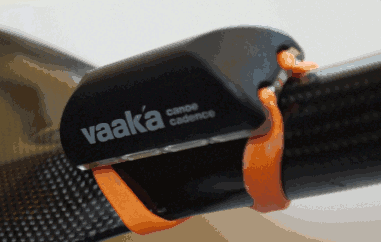
Garmin ConnectIQ data field to display paddle cadence and meters per stroke information from a Vaaka Cadence Device.

Features:
- Displays paddle cadence and meters per stroke information
- Displays paddle intensity gauge using recommended intensity ranges for Endurance, Tempo, Threshold and VO2 max
- Allows paddle cadence data to be recorded for any activity e.g. kayaking type via direct ANT connection to the Vaaka Cadence device
- Paddle Cadence and Meters per Stroke data are automatically uploaded to Garmin Connect site for session analysis
- Paddle session come up as kayaking on Strava and are not mixed up with Cycling.
Paddle Gauge Cadence ranges
The data field has been set to use the following paddle cadence ranges:
| Intensity | Name | Cadence (double strokes per minute) | Gauge Colour |
|---|---|---|---|
| 1 | Recovery | 28-32 | Dark Gray |
| 2 | Endurance | 32-36 | Blue |
| 3 | Tempo | 36-38 | Orange |
| 4 | V02 Max | 44+ | Red |
These can be changed via the app setting feature on the Connect IQ app. See changing app settings on the Garmin forums site for more information.
Session analysis
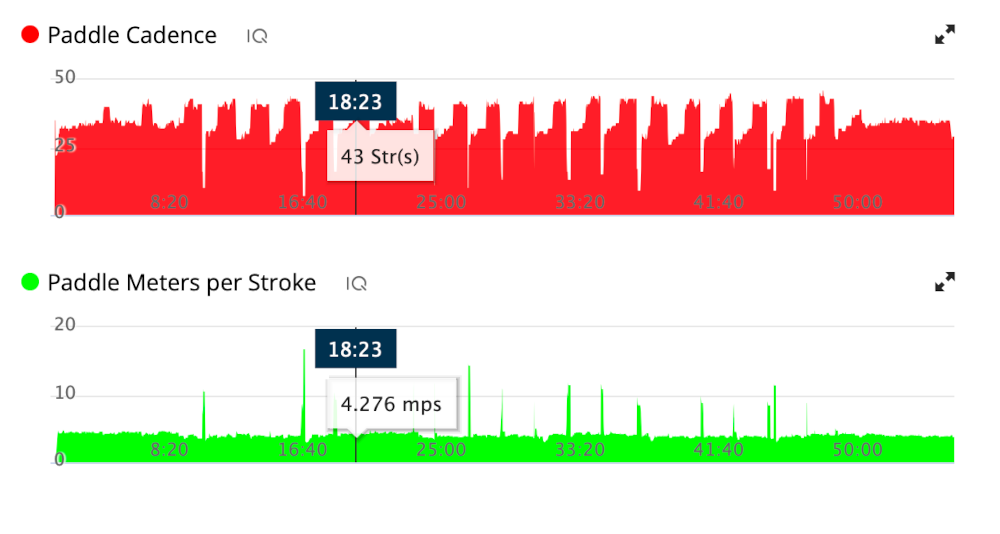
The paddle cadence and distance per stoke information for an activity can be viewed via the Garmin Connect site.
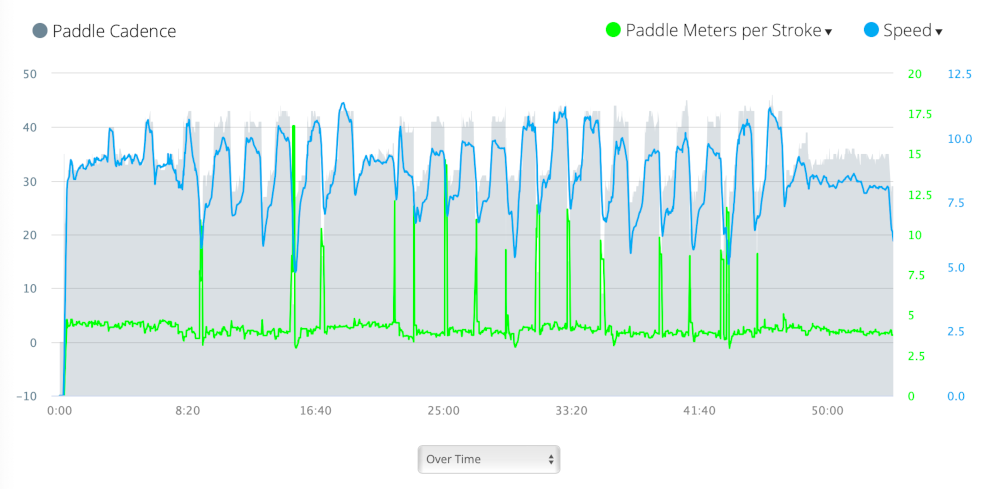
These can be combined with other session data such as heart-rate and speed for analysis of quality of training and paddle consistency.
The graph below paddle cadence and meters per stroke graphs, for an activity, as shown on Garmin Connect site:
The graph below shows paddle cadence (grey) plotted against boat speed (blue) and meters per stoke (green):
Installation
Install the field from the ConnectIQ app store.
These can be changed via the Connect IQ application setting - see link.
Feedback
Please either raise an issue if anything doesn’t work correctly, or if you use an unsupported Garmin device, via the Github issues page or via the Garmin app store.
Please leave a review if you like the data field.